
🧪 Lab 03 — HTTP in Practice (Pentester POV)
🎯 Lab Objective
The goal of this lab was to understand how HTTP authentication actually works in practice, focusing on:
- how the browser proves identity
- what the server trusts
- where attackers can interfere
This was not about exploitation, but about building a correct mental model of sessions, cookies, headers, and parameters — the foundation for all web vulnerabilities.
🧪 Lab Target
- Application: AltoroJ (IBM TestFire demo)
- URL: https://demo.testfire.net/login.jsp
- Why this target:
- Supports login and logout
- Uses server-side sessions
- Authentication breaks when the session cookie is deleted
This makes it ideal for observing real session behavior without risk.
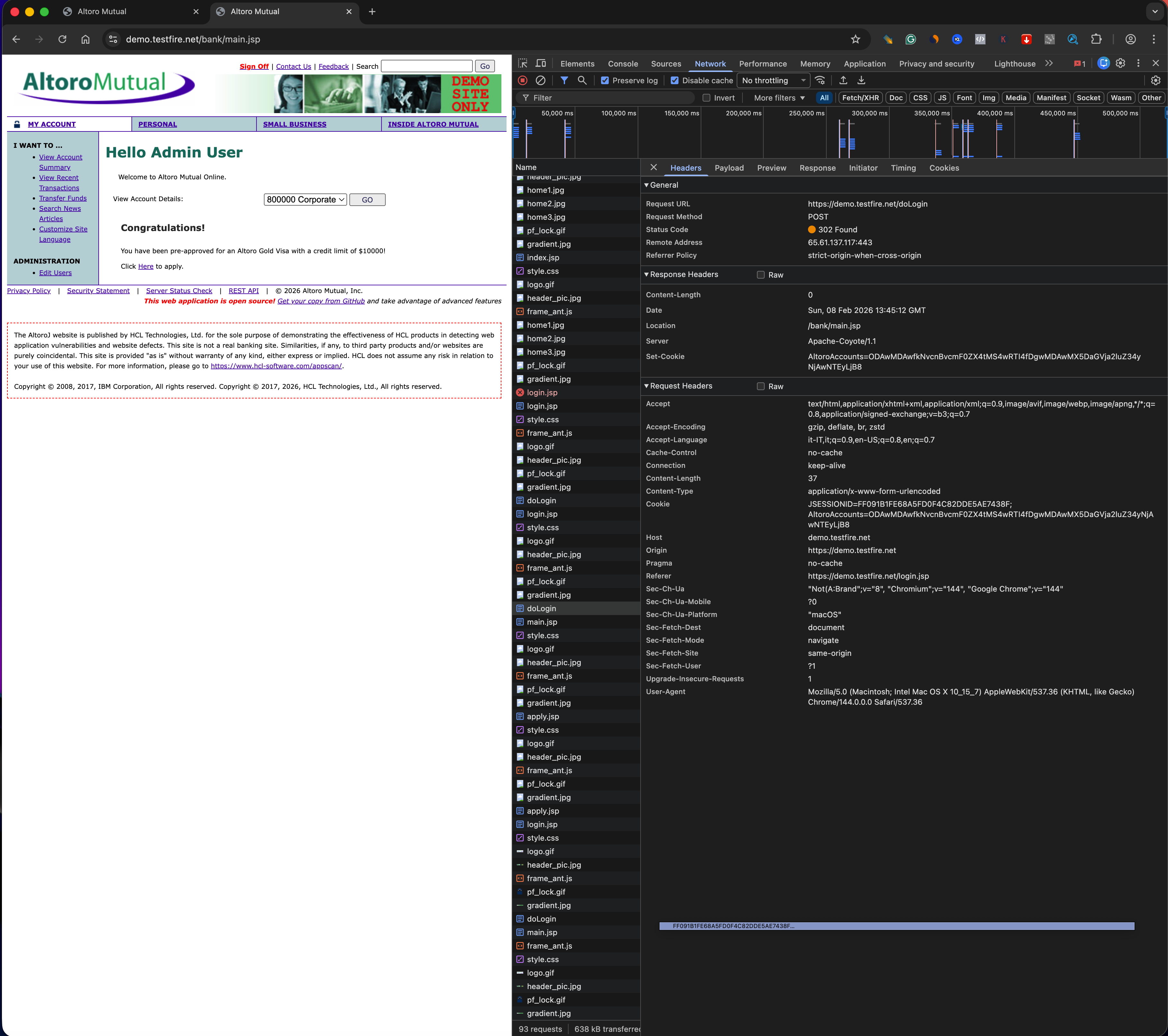
🔎 Step 1 — Request Headers (Client → Server)
I inspected the main document request using browser DevTools.
Identity
Cookie- This is the only header that represents authenticated identity
Context
HostReferer(when present)Origin(when present)
Client Fingerprinting
User-Agent
Key Observation
Only the cookie represents who I am.
All other headers describe context or client characteristics, not identity.
🔁 Step 2 — Response Headers (Server → Client)
Observed
Content-Type— tells the browser how to interpret the response
Not Observed (in this response)
Set-Cookie- Explicit security headers (e.g. CSP, HSTS)
Important Note
Set-Cookie headers are typically sent only during:
- initial session creation
- login
- logout
They are not present on every response, which is normal behavior.
Key Insight
The server relies on the browser to:
- store cookies
- resend them correctly on each request
Security depends on browser cooperation, not server enforcement alone.
🍪 Step 3 — Cookies (Core Finding)
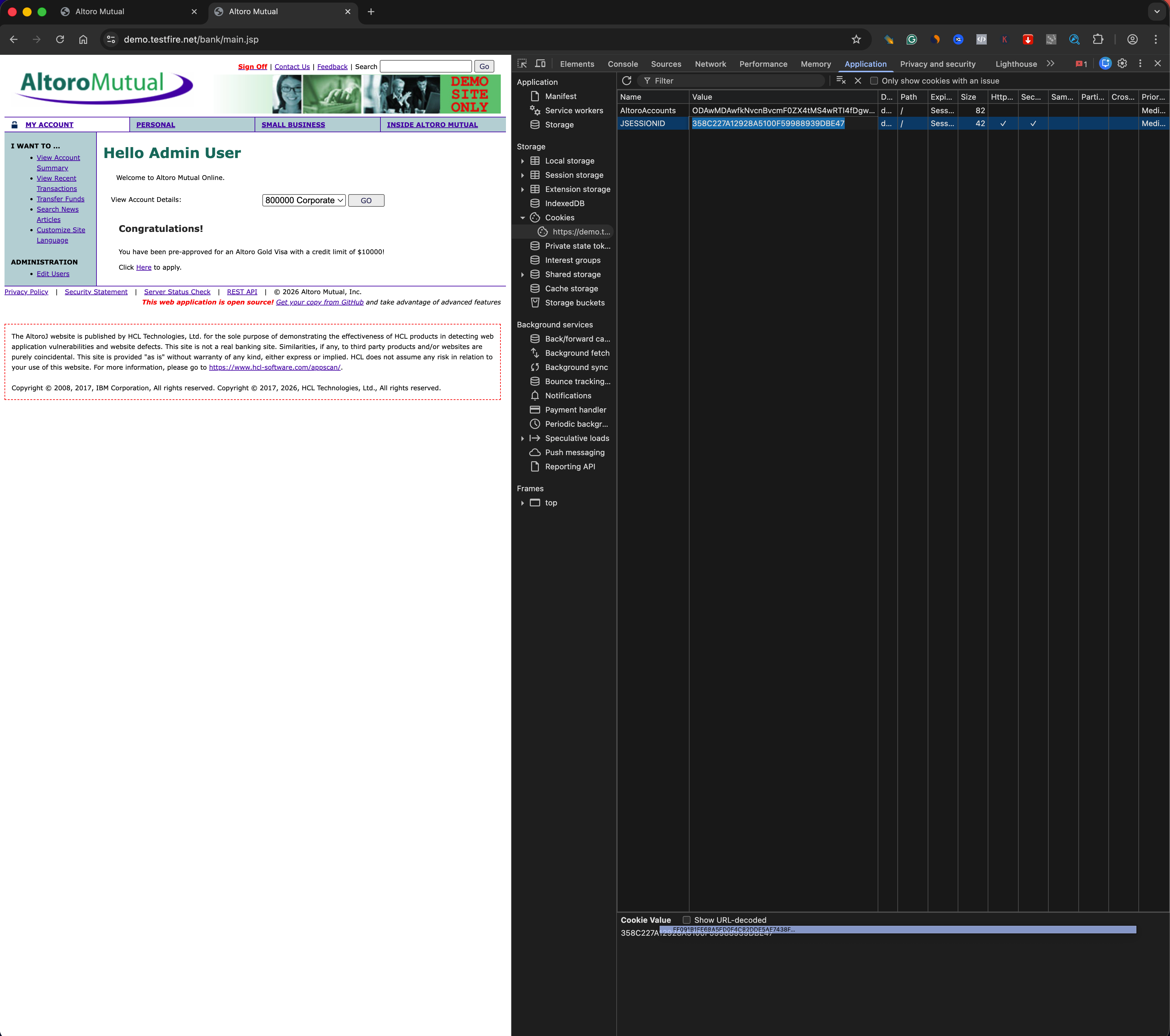
Session Cookie Identified
- Name:
JSESSIONID - Purpose: Session identifier linking requests to a server-side session
Flags
Secure: yesHttpOnly: yesSameSite: not set
Session Behavior
- The cookie exists across requests
- Deleting
JSESSIONIDimmediately logs the user out - Possession of this cookie equals authenticated identity
🔐 Security Implications
- If an attacker steals
JSESSIONID, they can impersonate the user HttpOnlyreduces JavaScript-based theft, but does not stop:- malware
- local compromise
- session riding
Secureprevents transmission over unencrypted HTTP, but does not protect against XSS or token reuse- Missing
SameSiteincreases CSRF risk
🔧 Step 4 — Parameters (Trust Boundaries)
Observations
- GET parameters were visible in URLs
- Parameter values could be modified client-side
- Server responses changed based on parameter values
Key Insight
Parameters are fully client-controlled.
If used for authorization or object selection, they can lead to:
- IDOR
- logic flaws
- privilege escalation
🧠 Conceptual Takeaways
How HTTP Identifies a User
HTTP is stateless.
Identity is reconstructed on every request using a client-controlled token (cookie).
What a Session Really Is
A session is server-side state indexed by a client-side identifier.
Possession of the identifier equals identity.
Why Cookies Are Dangerous
Cookies are:
- automatically sent
- trusted by servers
- sufficient for impersonation if stolen
Concrete Attack Scenario
If an attacker steals the session cookie via XSS or malware, they can access the victim’s account without knowing the password.
🧩 Lessons Learned
What worked
- Using a deliberately vulnerable app made session behavior very clear
- Deleting cookies provided definitive proof of authentication flow
What broke
- Expecting modern apps to always show classic form payloads
- Expecting new cookies to always appear on login/logout
Why it broke
- Modern applications often reuse sessions and track auth state server-side
- Not all security behavior is visible in every request
Fix / takeaway
- Focus on behavior, not assumptions
- Authentication equals possession of a trusted token
- Understanding trust boundaries matters more than tools