
📅 Day 38 — SSH Brute-Force Investigation and Automated Defense
Goal
Develop a first real investigation mindset by:
- analyzing SSH authentication logs
- identifying brute-force patterns
- extracting evidence from logs using shell tools
- simulating a real SSH brute-force attack
- observing automated defensive controls (Fail2ban)
The objective was to move beyond theory and practice SOC-style investigation and response.
What I Did
1. Verified SSH Service Exposure
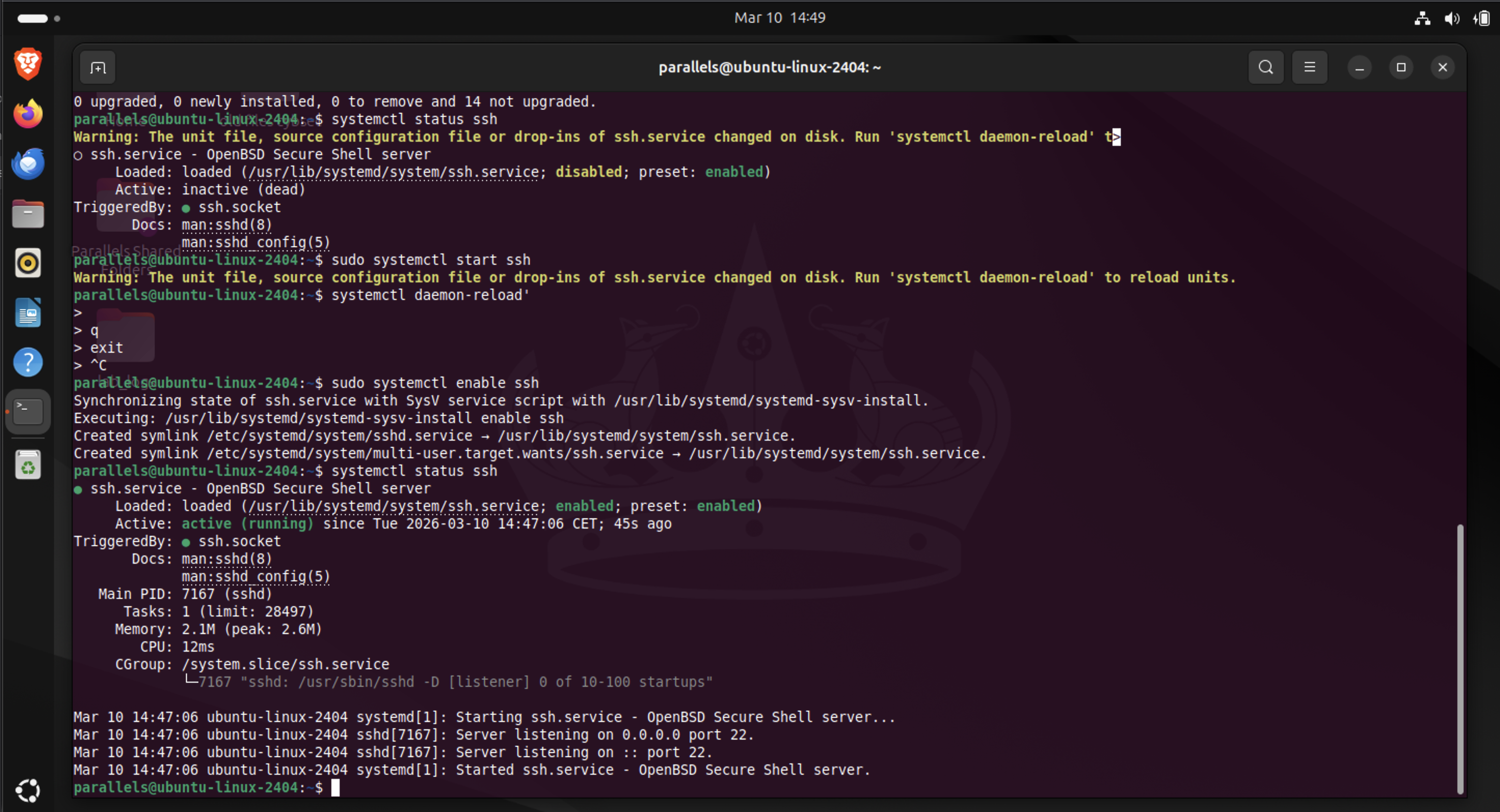
First I confirmed that the SSH service was listening.
ss -tulpn
Relevant output:
tcp LISTEN 0 4096 0.0.0.0:22
tcp LISTEN 0 4096 [::]:22
Interpretation:
- SSH is listening on port 22
- bound to 0.0.0.0 → all IPv4 interfaces
- bound to [::] → all IPv6 interfaces
This means the service is reachable from any network interface on the system.
2. Generated Authentication Failures
To produce real log data I intentionally triggered failed SSH logins:
ssh parallels@localhost
Entering incorrect passwords generated authentication failures inside:
/var/log/auth.log
3. Investigated Authentication Logs
To extract failed login attempts:
grep "Failed password" /var/log/auth.log
Example log entry:
Failed password for parallels from 127.0.0.1 port 46500 ssh2
4. Extracted Attacker IP Addresses
Because field positions change when invalid user appears in logs, I used keyword-based parsing:
grep "Failed password" /var/log/auth.log | \
awk '{for(i=1;i<=NF;i++) if($i=="from") print $(i+1)}'
Then summarized attacking IPs:
grep "Failed password" /var/log/auth.log | \
awk '{for(i=1;i<=NF;i++) if($i=="from") print $(i+1)}' | \
sort | uniq -c | sort -nr
Results:
5561 127.0.0.1
3405 192.168.0.27
2    10.211.55.4
This revealed three attack sources.
5. Counted Total Failed Logins
grep "Failed password" /var/log/auth.log | wc -l
Result:
8968
So the simulated attack generated 8,968 failed authentication attempts.
6. Identified Username Enumeration
Searching for attempts against non-existent users:
grep "invalid user" /var/log/auth.log
Example entries:
Failed password for invalid user fakeuser from 127.0.0.1
This represents username enumeration, a common attacker technique.
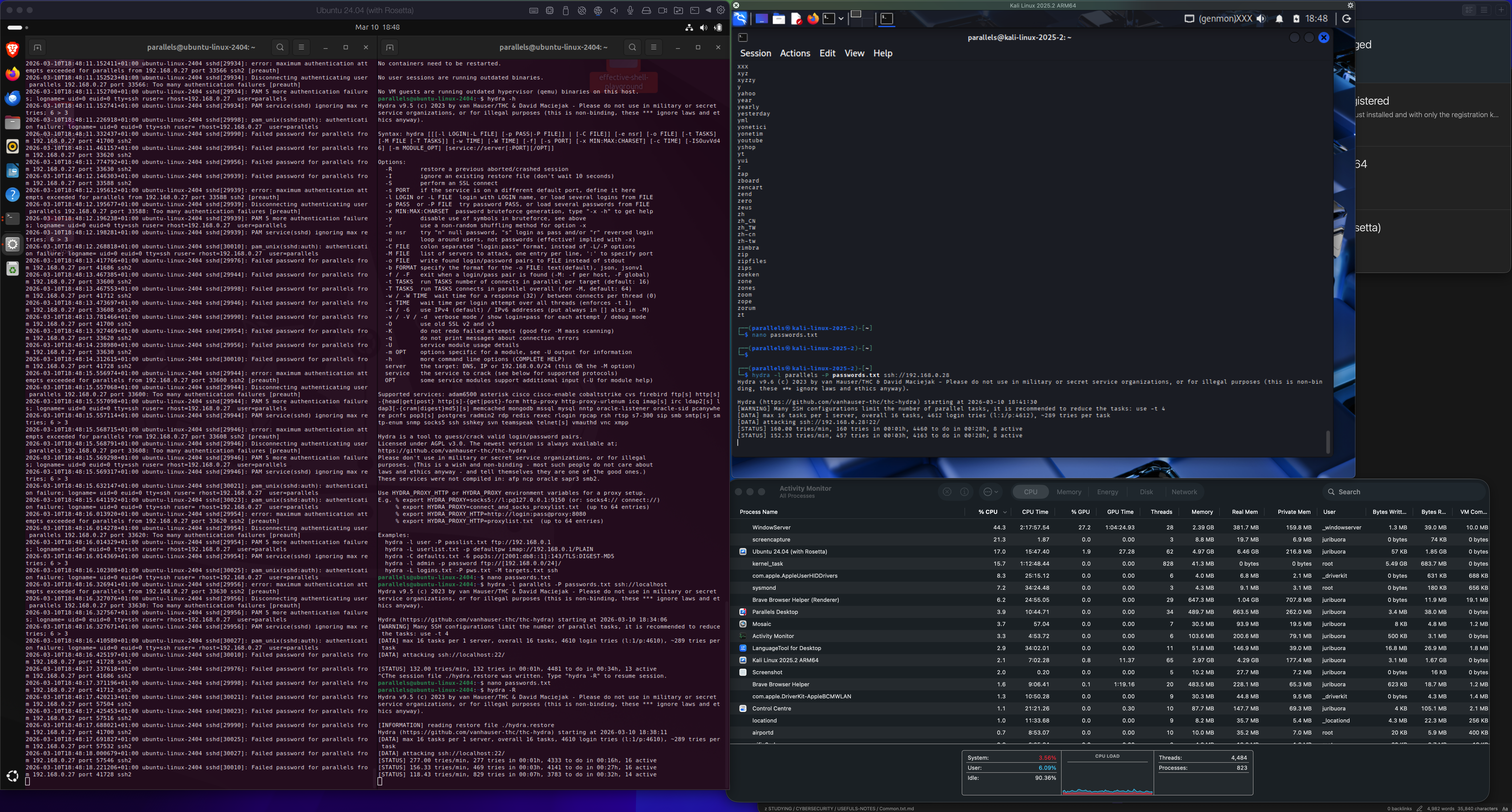
7. Simulated Automated Brute-Force Attack
Installed Hydra and launched a brute-force attempt.
Hydra is a well-known password attack tool used to test authentication services.
Command used:
hydra -l parallels -P passwords.txt ssh://localhost
This rapidly generated thousands of authentication attempts against SSH.
The logs now resembled real internet attack traffic.
8. Installed Automatic Defense (Fail2ban)
Installed Fail2ban:
sudo apt install fail2ban
Fail2ban monitors log files such as:
/var/log/auth.log
When too many failures occur from one IP it automatically blocks the attacker.
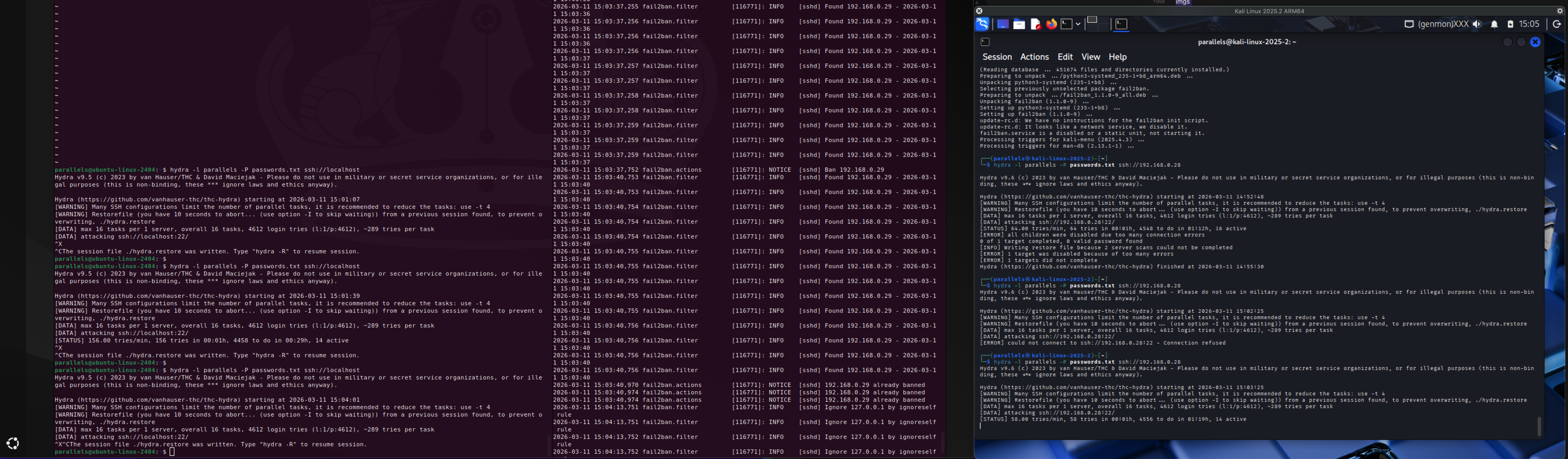
9. Observed Automatic IP Blocking
Fail2ban logs showed detection and banning of an attacker IP:
fail2ban.actions NOTICE [sshd] Ban 192.168.0.29
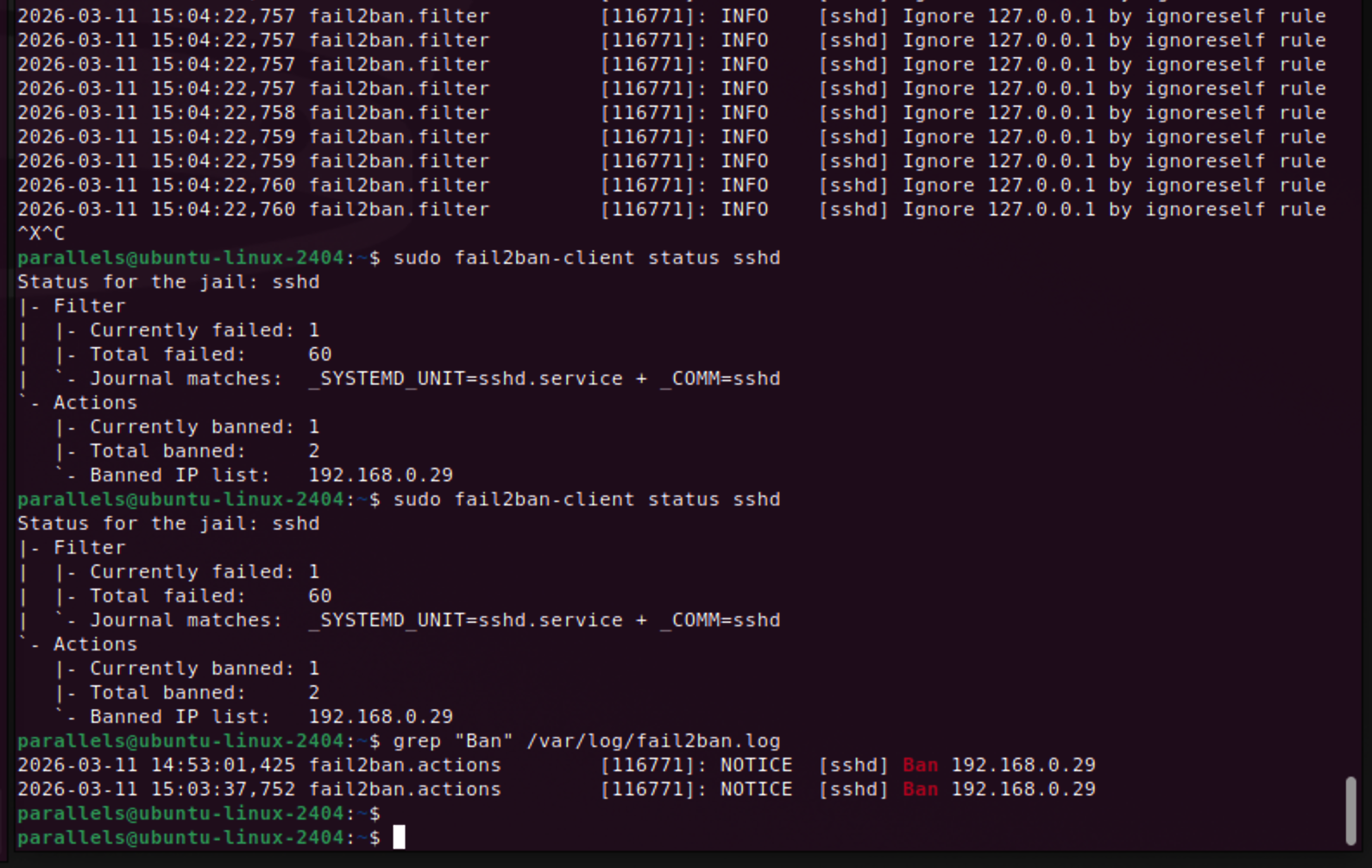
Checking status:
sudo fail2ban-client status sshd
Output:
Currently banned: 1
Total banned: 2
Banned IP list: 192.168.0.29
Fail2ban inserted firewall rules to block that IP.
10. Observed Fail2ban Ignore Rules
Logs also showed:
Ignore 127.0.0.1 by ignoreself rule
Fail2ban intentionally avoids banning localhost to prevent administrators from locking themselves out.
Key Cybersecurity Connections
This exercise demonstrated a complete SSH attack lifecycle.
1. Service Exposure
An open SSH service on port 22 is frequently discovered by attackers using internet scanners such as:
- Masscan (high-speed port scanner)
- Shodan (internet-wide device search engine)
These tools allow attackers to discover exposed services within minutes.
2. Brute-Force Attacks
Once discovered, automated tools attempt passwords against known usernames.
Typical patterns include:
- repeated password attempts against valid accounts
- attempts against many usernames (
admin,root,test, etc.)
3. Log-Based Detection
Authentication failures generate security logs which allow defenders to detect:
- attack source IP
- targeted account
- attack frequency
- attack duration
4. Automated Defense
Fail2ban acts as a log-driven intrusion prevention system:
- detect failed authentication patterns
- identify attacker IP
- apply firewall block automatically
Challenges
Log Field Parsing
SSH log formats change depending on the message.
Example difference:
Failed password for parallels from 127.0.0.1
vs
Failed password for invalid user fakeuser from 127.0.0.1
This shifts field positions and breaks simple extraction like awk '{print $9}'.
Solution:
Use keyword-based parsing instead of fixed field numbers.
Understanding Repeated Log Messages
Some entries appear as:
message repeated 2 times
This is log compression by the logging system, meaning the same event occurred multiple times.
What I Learned
Key takeaways from this lab:
- SSH authentication logs provide strong forensic evidence
- brute-force attacks can generate thousands of attempts quickly
- log parsing requires understanding log structure
- automated defenses like Fail2ban rely entirely on log analysis
- Linux command pipelines (
grep,awk,sort,uniq) are powerful for security investigations
Next Steps
Next investigations will include:
- identifying devices on a LAN using ARP neighbor tables
- mapping suspicious IP addresses to actual devices
- learning how analysts attribute activity to specific systems
This will expand the investigation from log analysis to network attribution.
Reflection
This was the first lab where logs started to feel like real evidence instead of text files.
By generating thousands of authentication attempts, I could observe:
- attack patterns
- attacker behavior
- defensive response
This mirrors real SOC workflows where analysts triage alerts, investigate logs, and determine whether compromise occurred.
Lessons Learned
What worked
- generating real authentication failures created meaningful data
- command pipelines allowed quick investigation
- Fail2ban provided visible automated defense
What broke
- fixed
awkfield positions failed when log formats changed
Why it broke
- SSH logs contain multiple message formats
Fix / takeaway
Use keyword-based parsing rather than assuming field numbers.
Skill Progression Context
This lab strengthens several foundational cybersecurity skills:
| Skill | Relevance |
|---|---|
| Linux log analysis | Core SOC analyst skill |
| Command-line investigation | Essential for incident response |
| Authentication monitoring | Common attack vector |
| Automated defense mechanisms | Real-world server protection |
This exercise moves closer to SOC analyst workflows, where alerts originate from authentication anomalies and must be investigated quickly using system logs.